Digital timesheets: how to get site crews to actually use them


September is when the timesheet conversation usually starts. The summer holidays scrambled everyone's hours, payroll took twice as long as it should have, and somebody in the office finally said what everyone was thinking: we cannot keep doing this on paper and WhatsApp photos.
The maths backs them up. The American Payroll Association has estimated that time tracking errors and time theft cost employers between 1.5 and 5 per cent of gross payroll. For a contractor with 25 people on the books, even the low end of that range is the price of a decent van every year. Add the office hours spent chasing, deciphering and retyping paper sheets and the true figure is higher again.
Time tracking errors and time theft cost employers 1.5 to 5 per cent of gross payroll. On a 25-person crew, the low end is a van a year.
And yet most digital timesheet rollouts fail. Not because the software is bad, but because of how the change is made. After watching plenty of these succeed and struggle, here is what separates the two.
Start with what the crew gets out of it
A timesheet app sold to the office is resented on site. A timesheet app that makes the crew's life easier gets used. The pitch to your lads should be concrete: you will be paid right the first time, every time, because there is no more deciphering handwriting or guessing which job you were on. Holiday requests get answered in the app instead of disappearing into a text thread. Nobody rings you on Friday asking where your sheet is.
If the person on the tools cannot see what is in it for them, adoption becomes a policing job. That is the failure mode.
Make it stupidly simple, then stop
The biggest mistake is asking the site to do the office's admin. If logging hours takes more than about 20 seconds, it will not happen daily, and weekly reconstruction from memory is just paper timesheets with extra steps.
- One tap to clock a day against a job. Job and cost code should be preselected based on where the person is working, not chosen from a giant list.
- Phones, not portals. If it does not work well on a five-year-old Android in bad light with gloves on, it does not work.
- No duplicate entry. If someone still has to fill a paper sheet as backup, you have two systems and the paper one will win.
Run the pilot on your hardest crew, not your easiest
The instinct is to trial new tools with the youngest, most tech-friendly crew. Resist it. If the change works for your most sceptical foreman, it works. If you only prove it with the easy crowd, the rollout stalls exactly where you need it most, and everyone knows it. Win the hard man first and he becomes the reason everyone else falls in line.
Connect hours to jobs from day one
Here is the part most contractors miss. The payroll saving is real, but the bigger prize is labour cost visibility. On most small sites, labour is the cost that slips first and shows up last. When hours are logged daily against a job and a cost code, you can see by Wednesday that a job is burning more hours than it should. On paper, you find out when the wage bill lands, weeks after the damage is done.
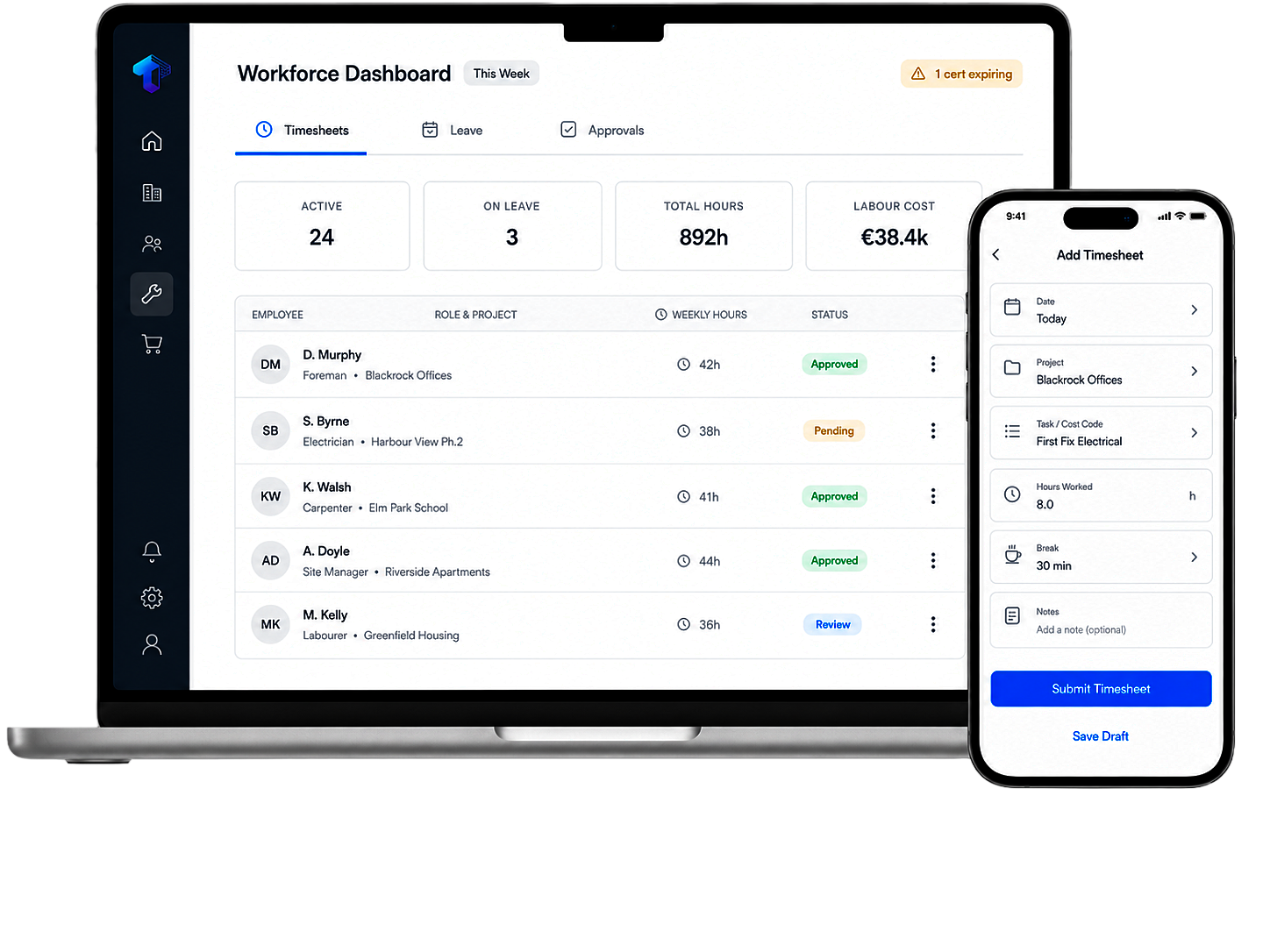
That changes the conversations you can have. Instead of arguing about a blown budget after the fact, you are asking why groundworks took 60 hours more than priced while there is still time to do something about it.
Expect the dip, hold the line
Weeks one and two will be messy. Some entries will be wrong, someone will lose their login, and at least one person will announce the old way was better. This is normal and it passes, but only if the office holds the line. The moment you accept one paper sheet as a favour, you have told everyone the app is optional.
Three things make the dip shorter: pay from the app data immediately so accuracy matters to everyone, fix problems in hours not weeks while goodwill is high, and have the boss visibly use the system. If the owner still asks for a printout, so will everyone else.
The honest timeline
Done right, a 15 to 40 person contractor should expect to be fully off paper in four to six weeks. Faster is possible but usually means corners were cut on training the people who least wanted the change, and it comes back to bite in month three.
At Trave, timesheets were one of the first things we built, precisely because it is the change contractors feel fastest: site teams log hours from their phone in seconds, and every entry lands against a job and cost code so the labour picture is live, not month-old news. However you do it, get off the paper. The crews adapt faster than anyone expects, and nobody, anywhere, has ever missed chasing timesheets on a Friday.

Built for construction. See what Trave could do for your team.
Book a demo